Shortcode Reference
Pro Features Shortcode Guide
These features require Client Sync Pro to be installed and your license key to be active. You can manage your license under Client Sync > License. 1. Custom Drag & Drop Forms The shortcode allows you to display highly customized forms built with our visual editor. Unlike the standard booking fields, these forms can be used for lead capture,…
Read MoreManager & Staff Tools Guide
These tools provide a powerful “Frontend Command Center” for your team. Because these shortcodes display sensitive data (all client appointments), they are protected by strict security permissions. ⚠️ Security & Permissions By default, these shortcodes will only be visible to users with the role of Editor or Administrator (technically, anyone with the edit_others_posts capability). If a regular client or a guest attempts to…
Read MoreClient Dashboard & Account Guide
To provide the best user experience, we recommend creating a “My Account” area on your site. You can use the following shortcodes to build out different sections of that dashboard. 1. User Registration If you want to allow new users to sign up for an account, use the registration form. This form automatically includes any…
Read MoreBooking Forms
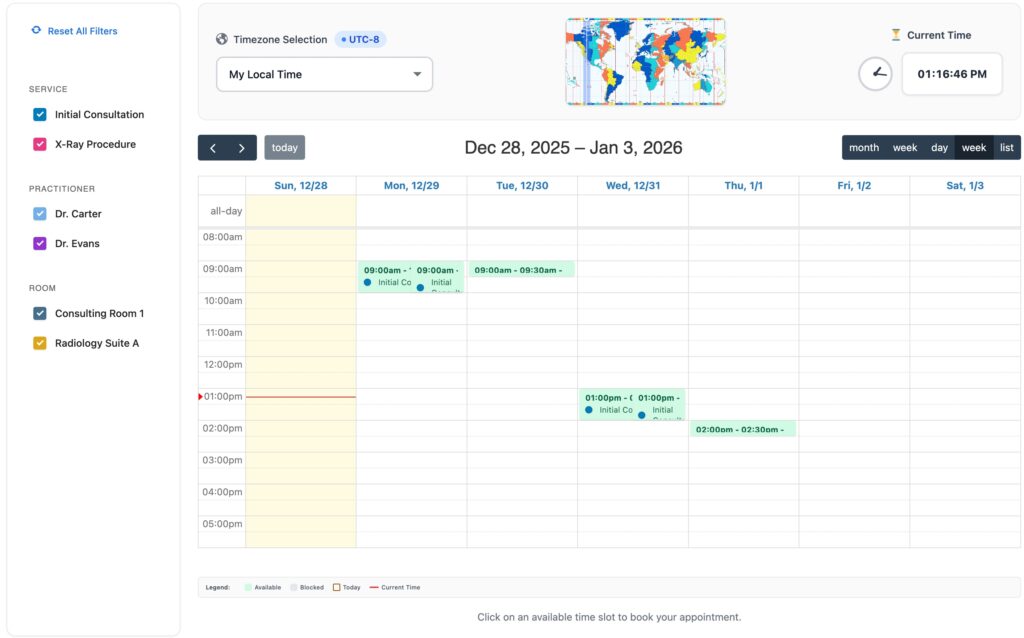
Universal Booking Form Guide The Loading Booking Form… is the core shortcode of the system. It is “smart” software that automatically detects your settings to show the correct interface to your customers. Whether you offer standard appointments (Time Slots) or multi-day rentals (Date Range), this single shortcode handles both. 1. Basic Usage To display the default booking…
Read MoreHow to Add Client Sync to Your Pages
Shortcodes You can display the booking calendar, user dashboards, and registration forms anywhere on your site by using “Shortcodes.” Simply copy the codes below and paste them into any Shortcode Block or Text Editor. 1. The Booking Form This is the main entry point for your customers. It automatically detects if it should show a time-slot calendar or…
Read MoreTimeline Visualization
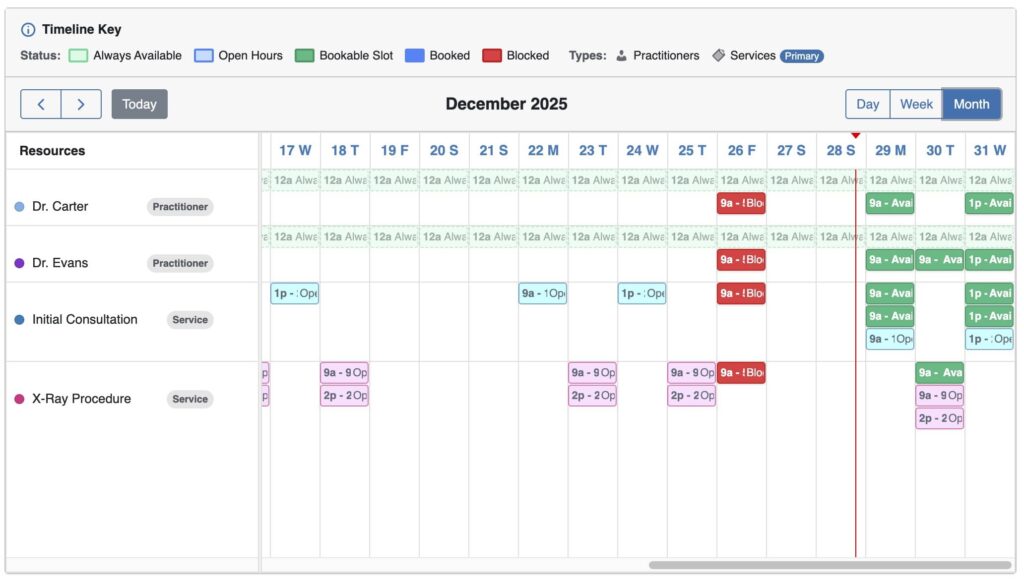
Resource Timeline Guide The Loading timeline… shortcode provides a powerful, high-level view of your schedule. It displays multiple resources (Staff, Rooms, or Services) as horizontal “tracks,” similar to video editing software, making it easy to identify gaps and overlaps in your availability. 1. Basic Usage To display the timeline with default settings (showing all enabled…
Read More